Thanks to the advent of fast internet connections, I’ve been spoilt for choice when it comes to things I want to waste my time on when I’m in front of the computer. Previously, I was limited by the amount of space I had in my hard drive. Terrabytes weren’t a thing yet, so I couldn’t store all my favorite MP3s and movies. Then came CD-ROM burners, which helped, but not as much as external hard drives. Those used to cost way more for less storage than you get now, and beyond the occasional thumb drive (to replace the lost ones I got for free from events) I haven’t purchased one in ages.
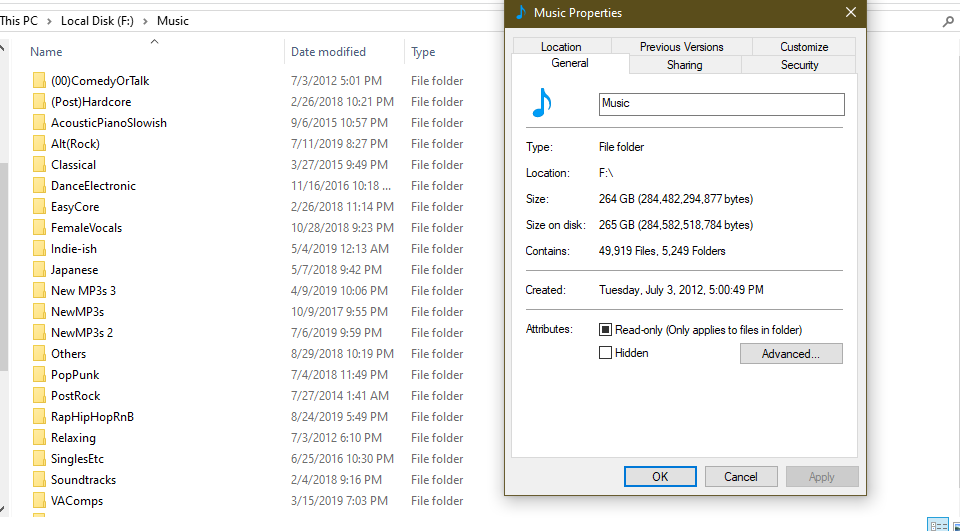
my local MP3 collection
Now I don’t even back up most of my files on physical media anymore. Thanks to Google Drive and Photos, there isn’t a need. Not to mention, Google does a great job of automatically sorting and tagging your photos (I know people care about their privacy, but I enjoy the convenience of typing noodles in the search bar to remember where I’ve been). Machines have come a long way thanks to all the captchas we’ve been doing.
Google Photos
If you want to watch a movie these days, just load up Netflix, or your favorite streaming site, type in a movie name and click watch. It’s that convenient. If you want to listen to music, just load up Spotify or YouTube, type in a song name and there you go! No more waiting for songs to download to your PC and launching them in a media player to listen to them. I still do the latter for music, but streaming services are great to check out new artists I have not listened to before.
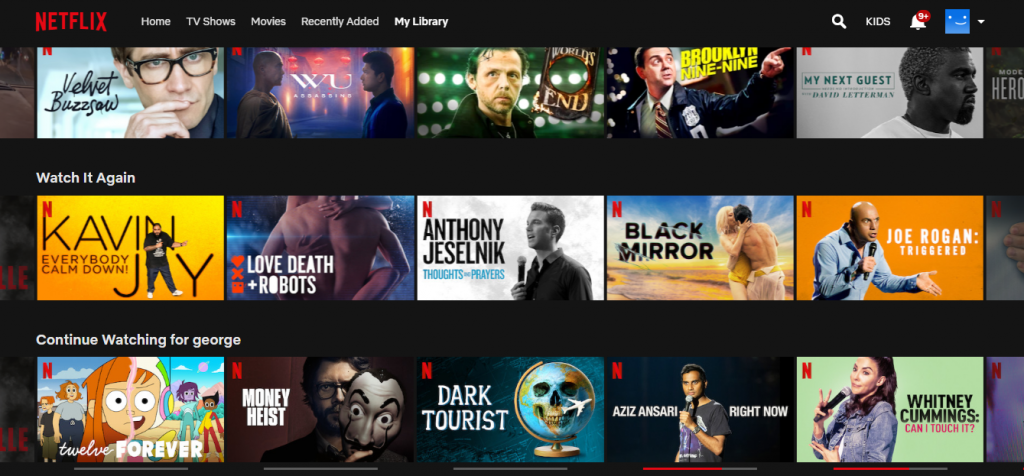
But like with all things, there are good and bad sides to them. While people might see it as a ‘first world problem’, it’s a problem nonetheless – having too many choices makes it difficult to decide what you want to consume. Yes, that’s right. You ever sit down in front of your TV, and browse Netflix endlessly looking for something to watch? I know I’m guilty. I see a show I think I might be interested in but I don’t watch it immediately. I add it to ‘My (neverending) List’, and look for something else that I might want to watch. Repeat this for maybe half an hour and decide that I’d rather do something else instead of watching a show. Come back to Netflix a week later and repeat the same process. It’s the same with Spotify. I have playlists of countless unwatched shows and unlistened music.
my Netflix playlist
While it’s not an issue having large playlists of unconsumed content, it could be a problem one day – when record companies or movie distributors lose the rights to the material, leaving empty spots in your playlists. And then you kick yourself for not checking them out earlier. Fortunately, there’s always the alternative coughpiratebaycough but most of the time you’ll look for something, download it and end up forgetting about it (at least that’s what I do).
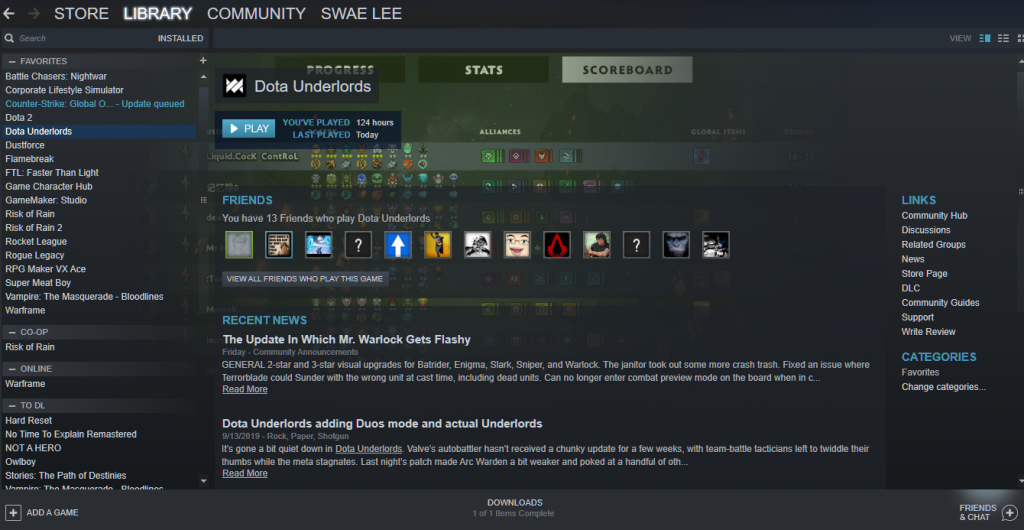
I guess it’s more of my consumption habit than a problem of too many choices. I should learn to pick and choose and stick with it. Which is why I’ve been choosing not to finish some games in my Steam library. When I feel a game is more trouble than it’s worth to complete, I uninstall and move on.
my Steam library
I’ve been doing the same thing with music and shows too. If I don’t absolutely enjoy something, I turn it off and jump to the next in line. I don’t have that much time in my life, shouldn’t I spend it on something else that I like instead? This philosophy has helped me to clean up my playlist (it’s still long but I’m getting there) and it is also why I play so much Dota 2.
I shall start with a disclaimer: this is purely anecdotal. It’s what happened to me over the past two years with my ASUS Zenbook (UX430U).
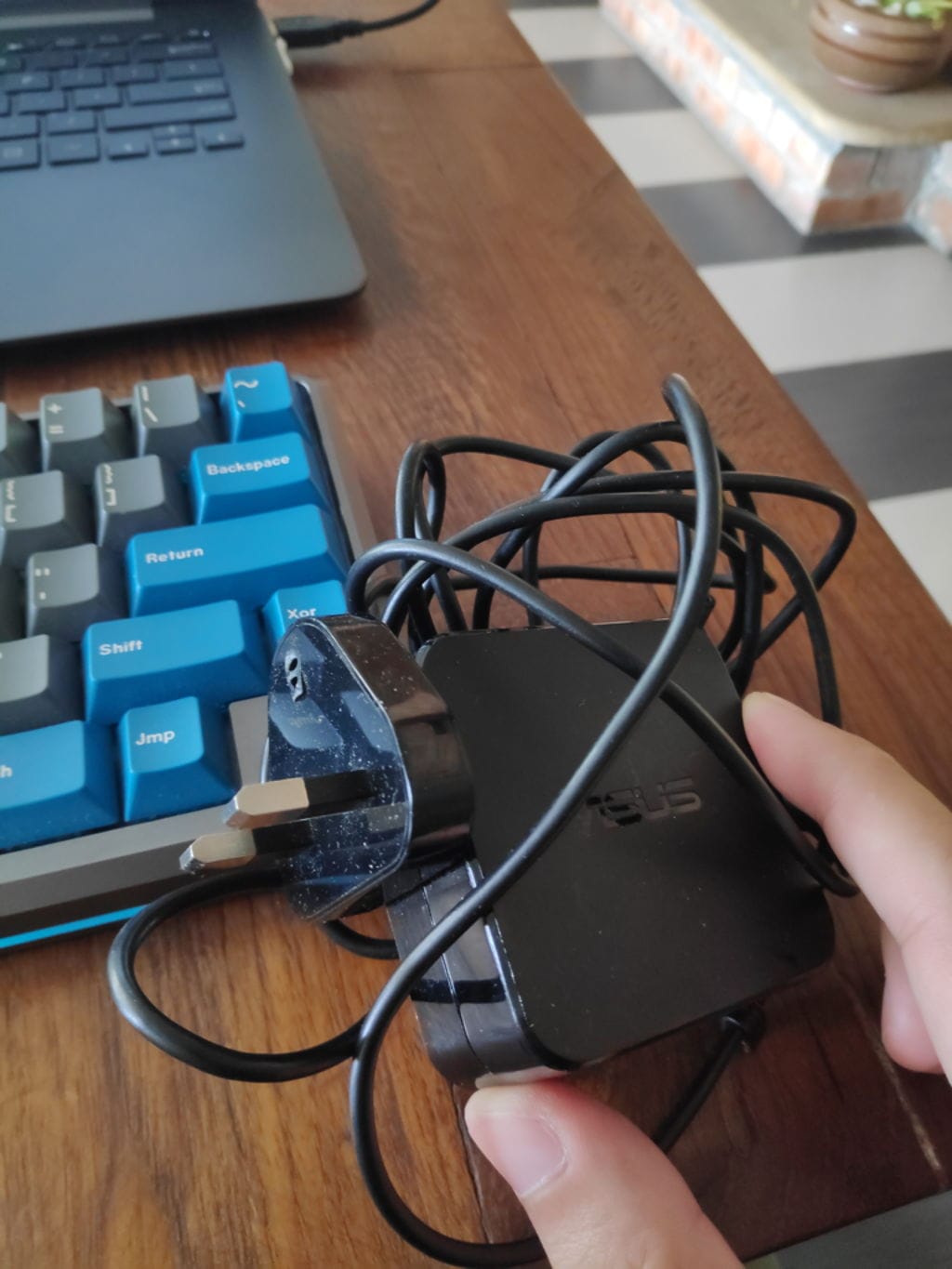
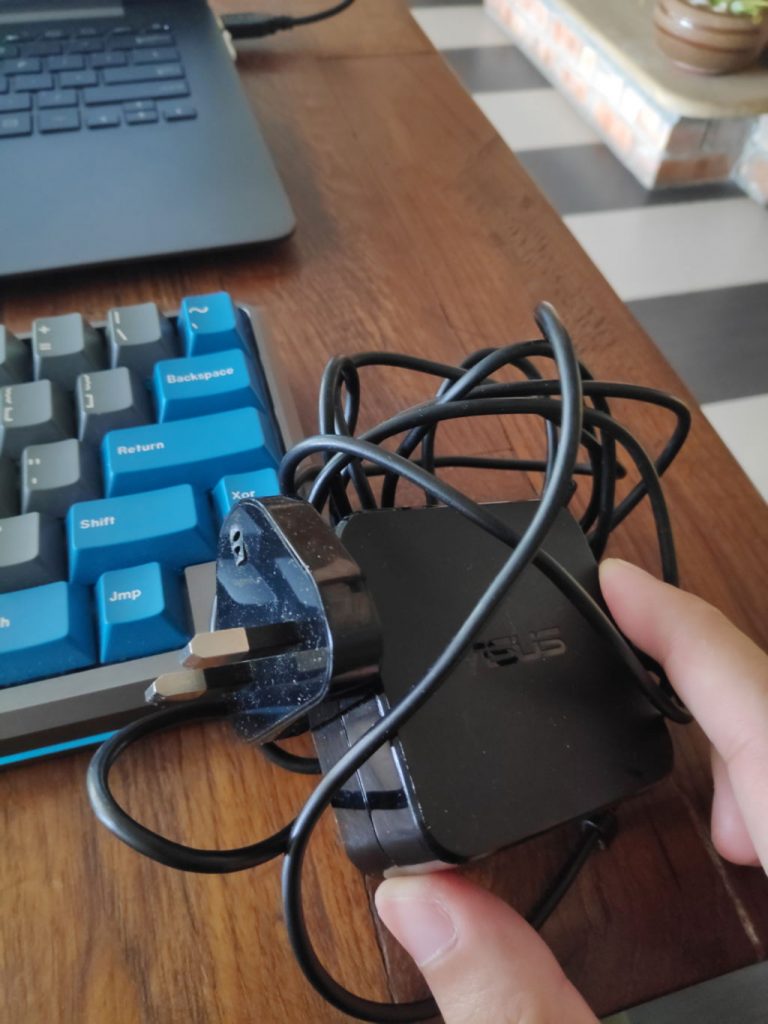
What kind of laptop charger has a breakable ground pin?
As you can see from the image above, that was the icing on the cake of my terrible experience with this device and ASUS Malaysia’s service center. Let’s start from the beginning.
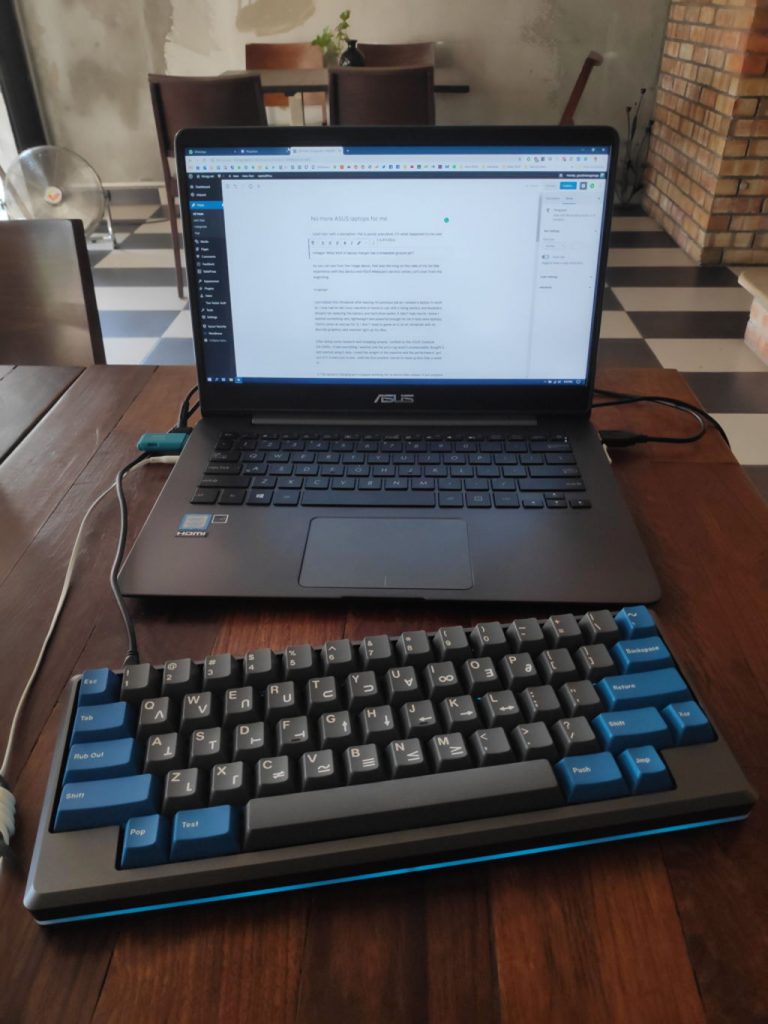
ASUS Zenbook UX430U
I purchased this Ultrabook after leaving my previous job as I needed a laptop to work on. I only had an old Linux machine at home to use with a dying battery and keyboard (despite be replacing the battery and hard drive earlier, it didn’t help much). I know I wanted something slim, lightweight and powerful enough for me (I hate slow laptops, there’s never an excuse for it). I didn’t need to game on it, so an ultrabook with no discrete graphics card seemed right up my alley.
After doing some research and shopping around, I settled on the ASUS Zenbook UX430U. It had everything I wanted, and the price tag wasn’t unreasonable. Bought it, and started using it daily. I loved the weight of the machine and the performance I got out of it. It was a joy to use – until the first problem reared its head up less than a week in.
1) The laptop’s charging port stopped working for no discernible reason. It just stopped working, and I couldn’t charge my laptop. Now, you might say this is a case of bad luck, but the fact that I couldn’t get a replacement laptop on the spot was annoying. They wanted to send it to the service center to get it checked up and fixed. It only took about a week and was good to go. I was unemployed then, so it was acceptable to me even though I was unhappy about it, but I should have taken that as a sign of things to come.
2) Fast forward to about a year into having the laptop – everything was fine and dandy. Until I noticed something odd about my device – one of my USB ports wouldn’t charge my vape when I plugged it in. It could read files off drives and my phone fine, but it wouldn’t provide any charge. This bothered me as it was a laptop with limited ports (only two USB 3.0 ports and a USB C port), I had to make sure they were fully functional. I sent it to the service center to get checked out and fixed, which resulted in me in not having a laptop for a couple of days.
3) When the laptop was fixed, I noticed something odd with its display. It was randomly showing grey dots and lines on the screen, which was especially noticeable on black/dark backgrounds and images. It took another trip to the service center and a week to be fixed. This time the laptop took another week to fix.
4) My laptop’s speakers stopped producing sound. I normally listen to music using headphones, so this was something that took me a while to notice. I had to send it to the service center again, and they got it fixed within a few days. They said there was an issue with some connection.
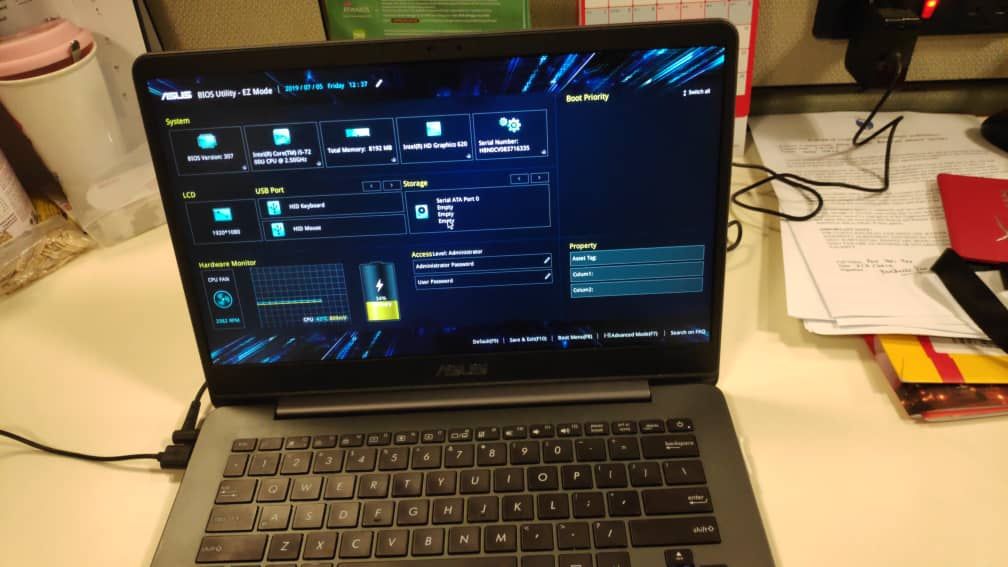
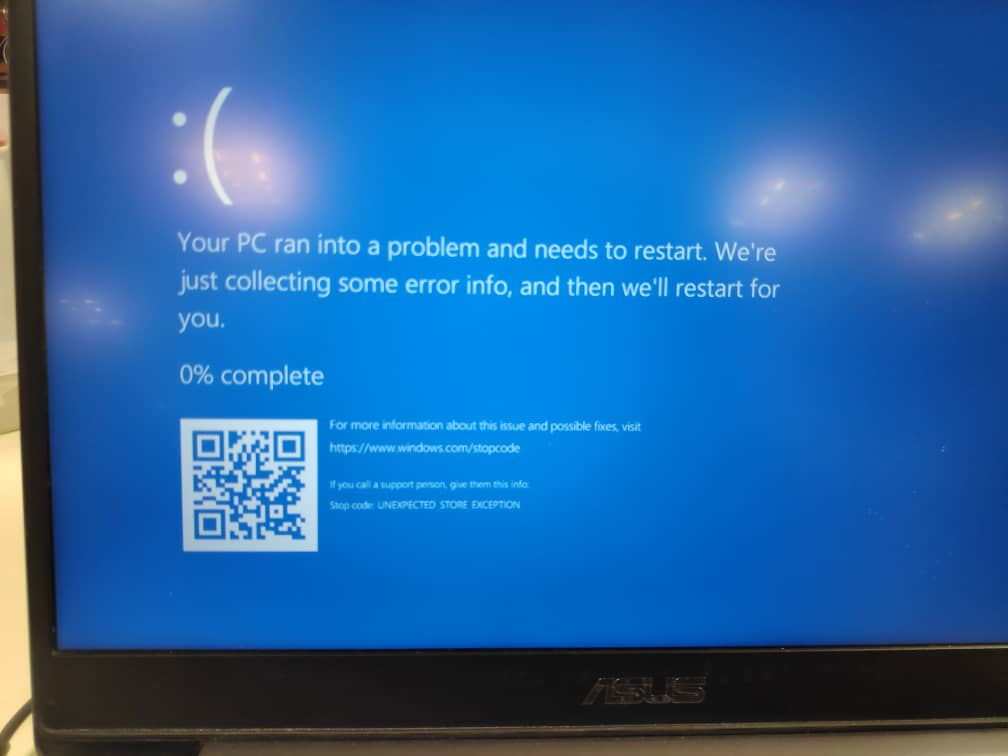
Not detecting my SSDThe Blue Screen Of Death
5) The straw that broke the camel’s back. A couple of weeks ago my laptop was having issues with my SSD. It was an issue that I had encountered in the previous months, but it was usually fixed with a reboot (sometimes multiple). My laptop would somehow stop recognizing that I had an SSD installed and give me the BSOD while I was working. Sometimes during boot, it would fail to recognize that I had an SSD and throw me to the BIOS. This time around, restarting the laptop wasn’t doing the trick, so I had to send it to the service center again.
I informed the staff of the issue clearly – verbally and by writing it down. The lady at the ASUS service center acknowledged it. I passed the laptop to her and went off. I received a message the following day telling me that my laptop was ready for collection. I thought that was strange because I’ve never had a one-day turnaround from them before.
Reached the service center and asked them what the issue was – they told me that they formatted the laptop and it should be fine. I was distrustful of them. I told the lady that this was not a software issue, why would a format fix it? She just told me to go back and use the laptop and to come back if there were any problems. She also told me that one of the screws holding the bottom case of my laptop was missing. No shit, Sherlock. Why did you tell me that instead of just putting in a new screw? Were they short on screws?
Anyway, as I expected, the same SSD issue happened again. I even sent them photographs of the problem (at their request). Drove my ass to the service center, passed them the laptop again, with an “I told you so” look on my face. The lady apologized and said they’ll get it fixed as soon as possible.
About a week later, I collected the laptop from them. I turned it on at the shop (it was on sleep mode), and everything seemed normal (the missing screw was still missing). The lady told me that they replaced my SSD to solve the issue. Everything seemed normal to me until; I got back and rebooted my laptop after updating some drivers.
Hello Trojan!
The first thing that pops up on the action center is Windows Defender telling me that my machine was infected with a trojan. I did some digging through the Defender logs and noticed that it wasn’t the first time the trojan was detected. There was a backlog of when the warnings started appearing, and what files caused the trigger. Turns out that Windows Defender detected the trojan on the thumb drive that was used to install Windows updates on my laptop.
This meant that whoever was installing Windows on my laptop was clueless or had a complete disregard for basic PC security. I’m pretty sure it is completely unacceptable to be using an infected thumb drive while working on a customer’s machine (correct me if I’m wrong). That technician had also deliberately ignored Windows Defender’s warnings and continued installing files off that infected thumb drive. What kind of fucking moron does that? I’m pretty sure I said “are you fucking kidding me?” aloud to myself. I was furious.
I sent photos of the message to ASUS and told them that they had an incompetent technician. They had the cheek to tell me to just restart the PC. Holy shit, whoever ‘fixed’ my computer deserves to be fired and be hit by a car on the way home, with their box of belongings in their hand.
If by some chance you’re reading this, technician, fuck you.
Instead of sending it back to them and risk my machine falling into the hands of another idiot, I fixed this problem myself (created a bootable Windows 10 install on a USB drive, and wiped the SSD before installation).
For almost two years, I’ve had to visit the service center way too many times. This is not okay for a device that you rely on for work daily.
In the future, I’m not going back to ASUS if there’s an issue with my laptop I can solve on my own, and I’m not purchasing another ASUS laptop. They’ve taken more than enough of my money and my trust. I still have faith in their hardware like graphics cards and motherboards (haven’t had issues with those yet) but their laptops are a definite no from me. Based on my experience, I will never recommend an ASUS laptop if you need something reliable.
Side note: in addition to all the time spent waiting for the laptop to be fixed, there was a lot of time and fuel spent driving to service centers, paying for parking and tolls, and loss of productivity from not having a laptop to work with. Oh yeah, I had to back up all my files and remove my logged-in accounts every time I sent it to be serviced (huge pain in the ass).
Also, if you remember, I purchased a tablet to serve as a working machine during the various times my laptop was out of commission and it’s been a lifesaver (it’s still running great btw!).
Ever since my blog was attacked multiple times last year, I’ve done a lot of things to improve its security (except switching away from wordpress because I didn’t want to bother learning a new blogging platform) and I’ve become aware of how much my blog is being targeted.
Every day I get notifications about attempted logins to my blog (that have been successfully refused), along with attempted injections and so on. Previously, I didn’t have any security and wasn’t aware of any attacks.
a snapshot of my inbox
I’m aware I’m not some big time blogger or anything – it’s probably just random bots scouring the internet looking for websites with vulnerabilities they can exploit. Regardless, I’m glad I’ve made the changes to improve the blog’s security.
You know the feeling of using a computer after a fresh format? Or a brand new laptop after you’ve uninstalled all the bloatware? (speaking of, I’ve got a rant about ASUS laptops I’ll publish in the future) That’s how it feels like to have a website that’s completely safe to visit. Feelsgoodman.
Also, to anyone out there thinking of hacking this blog – there really is no benefit for doing it. You’ll gain access to my 30 or so daily readers (thank you guys) who probably wouldn’t even care if this blog died. I’d be inconvenienced, but it wouldn’t be the end of the world.
I would be bothered because I have years of writing archived on this space. Tons of thoughts, memories, ideas, and all sorts of random shit. It’s nice going through them, like a stroll down memory lane. Except that it is more accurate than a memory because my words don’t change (unless I intentionally change them, which I don’t – however I have updated an older post that still gets traffic – yes, don’t ask me why people still find my blog when they search for whorecraft – it’s still one of the most common search phrases people use to get to this blog).
This post was written a few months ago to celebrate my blog’s anniversary – but I had forgotten that I renewed it for 2 years the previous year, so the reminder to renew my blog didn’t come in this year which resulted me in forgetting to post it. Today, received a spam comment on my blog which reminded me about this post.
lul
Even if the comment was legit, no I’m not interested in monetizing this blog. No thank you. Anyway, happy belated birthday to blorgy.net – 12 years and counting. You’re almost a teenager now!
Funny story: saw a comment on reddit saying that my URL was blocked at a person’s workplace – probably due to orgy in the URL. That was the first time I thought about changing the domain name of my blog in a while. After all, it was a reflection of who I was many years ago when I first registered it. I don’t think I’ve matured much since then.